[Everything About tsconfig] Compiler Options / Type Checking
![[Everything About tsconfig] Compiler Options / Type Checking](/static/56bd7d19cbdec50908e5f57ff0589f62/0075a/thumbnail.webp "[Everything About tsconfig] Compiler Options / Type Checking")
This post covers the type checking options in tsconfig’s compiler settings.
Most developers use TypeScript for the stability that comes from its powerful type system — something JavaScript doesn’t provide. Among TypeScript’s countless compiler options, type checking options manage the language’s core functionality.
TypeScript offers a wide variety of options, from simple ones that feel like “this code is forbidden” to ones whose behavior you can only understand if you know how the type system actually works.
Most type checking compiler options strengthen TypeScript’s type safety, which is why the TypeScript team recommends enabling all of them when possible.
But stronger type safety means the flip side: things that could previously slide by with any will no longer be allowed.
If you’re gradually adopting TypeScript in an application, you could burn a lot of time just fixing type errors. Consider your organization’s business situation before enabling options.
Let’s dive into how TypeScript’s type checking compiler options actually affect your code.
Unreachable, Unused
Options starting with Unreachable, Unused control how to manage unused code or code that can never execute.
allowUnreachableCode
| Value | Description |
|---|---|
undefined (default) |
Warn when encountering unreachable code. |
true |
Ignore unreachable code. |
false |
Error when encountering unreachable code. |
The allowUnreachableCode option controls how the compiler reacts when it encounters unreachable code. Unreachable code is code that can never execute.
function foo (value: number) {
  if (value > 5) {
    return true;
  } else {
    return false;
  }

  // Unreachable code detected.ts(7027)
  return true;
}
The foo function unconditionally returns a value and exits in either branch of the if-else, so the final return true can never execute. This is unreachable code.
Even with default settings, this option warns about such code rather than ignoring it, providing some protection against unreachable code.
Still, meaningless statements left in source code can cause developers to misunderstand the application’s flow. And since this dead code doesn’t affect the application anyway, I recommend enabling this option to error at compile time. (Though sometimes deleting such code mysteriously causes bugs…)
allowUnusedLabels
| Value | Description |
|---|---|
undefined (default) |
Warn when encountering unused labels. |
true |
Ignore unused labels. |
false |
Error when encountering unused labels. |
The allowUnusedLabels option controls how the compiler reacts when it encounters unused labels in code.
If you haven’t been programming long, “labels” might be unfamiliar. This feature isn’t TypeScript-specific — other languages have it too.
I used labels when learning C in school six years ago, but haven’t used them since.
Labels target specific statements, letting you name if statements, for loops, etc. You can then access those statements by name to control them with commands like break or continue.
let i, j;

outerLoop:
for (i = 0; i < 3; i++) {
  innerLoop: // Unused Label
  for (j = 0; j < 3; j++) {
    if (i === 1 && j === 1) {
      // If both i and j are 1, skip the outer loop
      continue outerLoop;
    }
    console.log(`i=${i}, j=${j}`);
  }
  console.log(`Loop ${i + 1} done`);
}
i=0, j=0
i=0, j=1
i=0, j=2
Loop 1 done
i=1, j=0
i=2, j=0
i=2, j=1
i=2, j=2
Loop 3 doneIn this example, when both i and j equal 1 in the inner for loop, it skips the outer for loop. Looking at the output, after i=1, j=0 prints, “Loop n done” doesn’t print and the third iteration starts immediately.
The outer loop’s label outerLoop is used in the inner loop, but the inner loop’s label innerLoop is never used. This is an Unused Label, and the allowUnusedLabels option controls how TypeScript reacts to unused labels.
But labels often reverse the normal top-to-bottom program flow, and they don’t have clear scopes or separated concerns like functions, making code hard to read. (Labels + goto from the assembly era are considered anti-patterns even in C.)
Don’t worry about whether to enable this option — just don’t use labels at all.
noUnusedLocals
| Value | Description |
|---|---|
true |
Error if unused local variables exist. |
false (default) |
Ignore unused local variables. |
The noUnusedLocals option controls how to handle unused local variables inside functions. When this option is true, the compiler errors on unused local variables.
const foo = () => {
  // 'bar' is declared but its value is never read.ts(6133)
  const bar = 1;
}
True to its name, noUnusedLocals doesn’t error or warn about unused variables in global or module scopes, only function scopes. Keep this in mind.
noUnusedParameters
| Value | Description |
|---|---|
true |
Error if unused parameters exist. |
false (default) |
Ignore unused parameters. |
The noUnusedParameters option controls how to handle unused function parameters. When this option is true, the compiler errors on unused parameters.
// 'name' is declared but its value is never read.ts(6133)
const foo = (name: string) => {
  return '';
}
Prohibiting Implicit Declarations
Many TypeScript type checking compiler options start with noImplicit, which means prohibiting “implicit something.”
Implicit means silently performing something without providing any information, increasing the chance of problems occurring where developers don’t expect them.
Enable all noImplicit options to prevent TypeScript from silently evaluating things behind your back at compile time.
noImplicitAny
| Value | Description |
|---|---|
true |
Prohibit implicitly using the any type for values that can’t be inferred and have no type declaration. |
false (default) |
Allow implicitly using the any type for values that can’t be inferred and have no type declaration. |
TypeScript evaluates values without explicit type declarations that can’t be inferred as any. The noImplicitAny option controls whether to error when such any-typed values exist.
TypeScript warns about any types even without this option enabled, since they harm type safety.
But warnings can be ignored at compile time, so using noImplicitAny to error and block compilation is much safer.
function fn(s) {
  // Parameter 's' implicitly has an 'any' type.ts(7006)
  console.log(s.subtr(3));
}
noImplicitOverride
| Value | Description |
|---|---|
true |
Prohibit implicit overriding in subclasses. |
false (default) |
Allow implicit overriding in subclasses. |
The noImplicitOverride option controls whether subclasses can implicitly override superclass member variables or methods.
class Album {
  download() {}
  upload() {}
}

class SharedAlbum extends Album {
  // This member must have an 'override' modifier because it overrides a member in the base class 'Album'.ts(4114)
  download() {}

  // Explicit overriding with override keyword is allowed
  override upload() {}
}
If the compiler doesn’t warn or error on implicit overriding, developers might unknowingly override superclass functionality. (You don’t memorize all superclass member names)
This could unintentionally break superclass functionality and cause unexpected errors, so I recommend enabling noImplicitOverride.
noImplicitReturns
| Value | Description |
|---|---|
true |
Prohibit functions implicitly returning undefined. |
false (default) |
Allow functions implicitly returning undefined. |
The noImplicitReturns option controls how to handle functions that implicitly return undefined.
// Not all code paths return a value.ts(7030)
function foo (v: number) {
  if (v === 1) {
    return true;
  }
}

console.log(foo(2)); // undefined
The foo function returns true when its argument is 1 but returns nothing otherwise, so TypeScript infers it returns a boolean type.
But actually, calling foo(2) with an argument that doesn’t match the condition returns nothing explicitly and exits the function, implicitly returning undefined. Try declaring any function in the browser dev tools to verify this.
The problem: TypeScript inferred the return type as boolean, but the actual implicit return type undefined is included, making the final return type boolean | undefined. This contradiction creates opportunities for unexpected runtime errors.
The noImplicitReturns option warns that the function isn’t properly returning values when it implicitly returns undefined. With this option enabled, the foo function must explicitly return undefined.
function foo (v: number) {
  if (v === 1) {
    return true;
  }

  return undefined;
}
noImplicitThis
| Value | Description |
|---|---|
true |
Prohibit cases where this is implicitly evaluated as any. |
false (default) |
Allow cases where this is implicitly evaluated as any. |
The noImplicitThis option prohibits cases where this is implicitly evaluated as any. To understand this option’s behavior, you need to understand how JavaScript and TypeScript’s this works, but since this post isn’t about this, I’ll explain briefly. For deeper knowledge about this, check out this post.
JavaScript’s this binds dynamically. What this points to depends on how the function is called.
class Human {
  sayThis () {
    console.log(this);
  }
}

const evan = new Human();
const sayThis = evan.sayThis;

evan.sayThis(); // Human {}
sayThis(); // globalThis
As shown, the same Human class method’s this changes dynamically based on how it’s called. JavaScript’s this is so unpredictable that we need methods like call, apply, bind to explicitly set this, or ES6 arrow functions that don’t bind this at all.
This dynamic binding causes situations where TypeScript can’t infer this’s type. A common example: accessing this in inner functions.
class Human {
  sayThis () {
    function say () {
      // 'this' implicitly has type 'any' because it does not have a type annotation.ts(2683)
      console.log(this);
    };
    say();
  }
}

const evan = new Human();
evan.sayThis(); // globalThis
In this example, the sayThis method declares and calls a say function internally, and the inner function accesses this. Logically, this function’s this should be the Human class, but reality is cruel — globalThis pops out. (Use arrow functions in these cases…)
This is when TypeScript can’t infer this. TypeScript implicitly binds this in the say function to any, breaking type safety.
The noImplicitThis option controls whether to tolerate situations where the this type is implicitly evaluated as any. Since there’s almost no use case for leveraging the global object binding to this in functions declared inside methods, I recommend enabling this option.
Strict
Strict options manage how strictly TypeScript evaluates types in normal situations.
The TypeScript team calls these the Strict mode family, ranging from options that check for violations of JavaScript’s 'use strict' directive to options that check covariance and contravariance, providing various ways to make TypeScript evaluate types more strictly.
alwaysStrict
| Value | Description |
|---|---|
true |
Error when source code violates Strict rules. |
false (default) |
Ignore Strict rule violations in source code. |
The alwaysStrict option errors when developers violate JavaScript’s Strict rules while using TypeScript. Setting this option to true makes TypeScript parse each source file as if a use strict directive were declared at the top.
Note that most TypeScript Strict mode options are for “non-module code.” TypeScript always compiles all module code in Strict mode according to ECMAScript 2015’s Strict Mode Code section definition.
One thing to know: this option outputs the use strict directive to “source files,” not to the compiled output. Let’s look at an example.
// index.ts

// Octal literals are not allowed in strict mode.ts(1121)
const number = 023;
// index.js
var number = 023;The IDE shows the error Octal literals are not allowed in strict mode.ts(1121), but compilation doesn’t error, and the compiled output doesn’t include the use strict directive. Source code parsing recognizes the error, but Strict mode isn’t guaranteed in compilation results.
However, when using modules, TypeScript applies Strict mode to both source code parsing and compilation output, regardless of this option.
// index.ts

export const number = 023;
// index.js (common.js)
"use strict";
exports.__esModule = true;
exports.n = void 0;
exports.n = 023;
console.log(exports.n);strictBindCallApply
| Value | Description |
|---|---|
true |
Check argument types when calling functions with call, apply, bind. |
false (default) |
Don’t check argument types when calling functions with call, apply, bind. |
The strictBindCallApply option checks whether correct argument types are passed when calling or declaring functions using methods like call, apply, bind that can change function execution context.
function sayHi(name: string) {
  return `Hi, ${name}`;
}

sayHi.call(undefined, "evan");

// Argument of type 'boolean' is not assignable to parameter of type 'string'.ts(2345)
sayHi.call(undefined, false);
While changing function execution context doesn’t happen often, with this option disabled, TypeScript doesn’t check whether proper types are passed as function arguments when using call, apply, bind, potentially causing runtime type errors.
strictFunctionTypes
| Value | Description |
|---|---|
true |
Evaluates function parameters as contravariant types. |
false (default) |
Evaluates function parameters as bivariant types. |
The strictFunctionTypes option controls whether to evaluate function parameters contravariantly. Since this post isn’t about covariance and contravariance, check out this post if you want to learn more.
I’ll explain covariance and contravariance briefly.
let foo: Array<string> = [];
let bar: Array<string | number> = [];

/*
Type '(string | number)[]' is not assignable to type 'string[]'.
  Type 'string | number' is not assignable to type 'string'.
    Type 'number' is not assignable to type 'string'.ts(2322)
*/
foo = bar;
I tried assigning the bar variable of type Array<string | number> to the foo variable of type Array<string>, and TypeScript says the string | number type can’t be assigned to a string type value.
Why the error? Because the string type is a smaller concept than string | number.
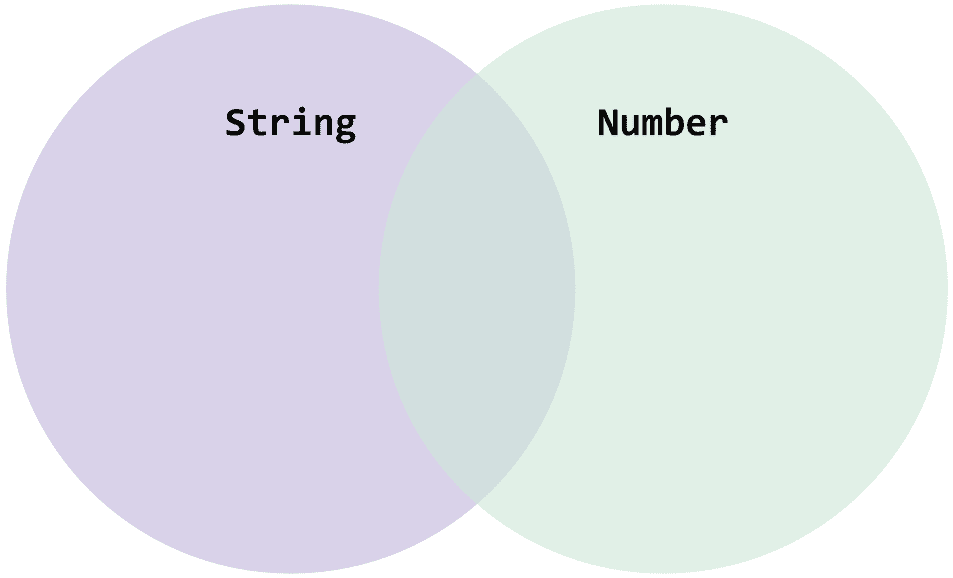 The string | number type represents the union of string and number.
The string | number type represents a union combining two types, so naturally the string type can’t contain the larger concept string | number.
In this case, we call the smaller concept string type a “subtype” of string | number, and call the larger concept string | number a “supertype” of string. (Subset and superset are also English terms. The names basically come from there.)
Similarly, Array<string> is also a smaller concept than Array<string | number>. You can’t assign an array holding both string and number to an array declared to hold only string, so TypeScript errors.
When type
Tis a subtype of typeT', ifC<T>is also a subtype ofC<T'>, we say typeCis covariant or has covariance.
Once you understand covariance, the rest is easy. Contravariance is the opposite of covariance. When type T is a subtype of type T', if conversely C<T'> is a subtype of C<T>, we say type C is contravariant.
You might wonder if types need to be evaluated contravariantly. Surprisingly, it’s close at hand: function parameters, the subject of the strictFunctionTypes option.
type Func<T> = (x: T) => void;

let stringOrNumber: Func<string | number> = (x) => {};
let onlyString: Func<string> = (x) => {};

/*
Type 'Func<string>' is not assignable to type 'Func<string | number>'.
  Type 'string | number' is not assignable to type 'string'.
    Type 'number' is not assignable to type 'string'.ts(2322)
*/
stringOrNumber = onlyString;
I said the string type is a subtype of string | number in the covariance example.
If function parameters were evaluated covariantly, Func<string> would also be a subtype of Func<string | number>, meaning assigning Func<string | number> to Func<string> should cause no problems.
But this example shows that’s not the case. Func<string | number> is clearly a function type that accepts the supertype string | number as a parameter, but TypeScript errors when trying to assign a Func<string> type function that only accepts the subtype string as a parameter.
Function parameters are evaluated contravariantly, operating opposite to covariant Array types.
This behavior might seem difficult, but think about it: the onlyString function is type Func<string>, so it’s defined assuming the parameter is definitely string.
If we allowed this function to be recognized as one that can accept string | number parameters, developers could mistakenly pass number arguments to onlyString, which would die gloriously with a runtime type error.

into a hole made for squares only...
Because of this function characteristic, evaluating function parameters contravariantly is much safer, which is why TypeScript provides the strictFunctionTypes option.
With this option disabled, function parameters aren’t evaluated contravariantly, removing all assignment constraints shown in the example. As mentioned, this increases the chance of developers mistakenly passing wrong types as function arguments, causing runtime errors. Enable strictFunctionTypes when possible. (It’s not that inconvenient)
strictNullChecks
| Value | Description |
|---|---|
true |
Error when a value might be null or undefined in situations requiring a concrete value. |
false (default) |
Ignore when a value might be null or undefined in situations requiring a concrete value. |
The strictNullChecks option errors when a value might be null or undefined in situations requiring a concrete value.
Situations requiring a concrete value are mostly when trying to access an object’s property like foo.a. If the foo variable’s value is null or undefined, a runtime reference error occurs.
interface Person {
  name: string;
}
const people: Person[] = [{ name: 'evan' }];
const myPerson = people.find(({ name }) => name === 'john');

// Uncaught ReferenceError: myPerson is not defined
console.log(myPerson.name);
The Array.prototype.find method is defined to return T | undefined, since find might or might not find the target element in the array.
So the myPerson variable has type Human | undefined. Running this code, since there’s no element with name evan in the array, myPerson becomes undefined, causing a runtime reference error on the final console line.
With strictNullChecks disabled, TypeScript gives no warning or error when accessing properties of myPerson even though it might be undefined. With it enabled, you get this error:
interface Person {
  name: string;
}
const people: Person[] = [{ name: 'evan' }];
const myPerson = people.find(value => value.name === 'john');

// Object is possibly 'undefined'.ts(2532)
console.log(myPerson.name);
You can solve this by explicitly checking if myPerson is null or undefined with an if statement, or using optional chaining like myPerson?.name to maintain type safety.
strictPropertyInitialization
| Value | Description |
|---|---|
true |
Error if member variables that must exist when an object is created aren’t initialized. |
false (default) |
Ignore member variables that must exist when an object is created but aren’t initialized. |
The strictPropertyInitialization option controls how to handle class member variables with unsafe types.
class UserAccount {
  name: string;

  // Property 'email' has no initializer and is not definitely assigned in the constructor.
  email: string;

  address: string | undefined;

  constructor(name: string) {
    this.name = name;
  }
}
Class UserAccount has three member variables. name and email are declared with types requiring values to exist, while address is declared with an optional type that can be undefined.
But the class constructor only initializes the name member variable. This way, when an object is created, the email member variable that must have a string value will be assigned undefined, breaking type safety.
Using strictPropertyInitialization errors when objects created using classes have member variables that don’t match their defined types, maintaining high type safety.
useUnknownInCatchVariables
| Value | Description |
|---|---|
true |
Evaluate catch statement error argument as unknown type. |
false (default) |
Evaluate catch statement error argument as any type. |
As its name says, the useUnknownInCatchVariables option controls what type to evaluate the error value passed as a catch statement argument.
By default, TypeScript evaluates catch statement arguments as any, so you write code like this:
try {
  // ...
} catch (e) {
  console.log(e.message);
  console.log(e.reason);
  console.log(e.data);
  console.log(e.whatever);
}
With no options set, TypeScript evaluates the catch argument e as any, so doing anything with this value causes no compile-time errors. But if e is null or undefined, a runtime reference error could immediately occur.
Enabling useUnknownInCatchVariables makes TypeScript evaluate catch arguments as unknown instead of any.
try {
  // ...
} catch (e) {
  // Property 'message' does not exist on type 'unknown'.ts(2339)
  console.log(e.message);

  if (e instanceof Error) {
    // This passes
    console.log(e.message);
  }
}
Unlike any which simply means “ignore,” unknown means “type is unknown, definition needed,” so you must inform TypeScript about the type.
Evaluating catch arguments as unknown requires type checking inside catch statements, which is slightly annoying. But personally, I think being slightly annoyed while programming beats unexpected runtime errors.
strict
| Value | Description |
|---|---|
true |
Enable all Strict-related compiler options at once. |
false (default) |
Enable Strict-related compiler options individually. |
The strict option doesn’t do anything itself — it lets you toggle all Strict-related options at once. The Strict mode family that can be toggled with strict includes:
- alwaysStrict
- strictBindCallApply
- strictFunctionTypes
- strictNullChecks
- strictPropertyInitialization
- useUnknownInCatchVariables
- noImplicitAny
- noImplictThis
Setting strict to true also sets all Strict mode family options to true, but you can override individual options to false.
The TypeScript team plans to make all new Strict mode family options added in future TypeScript versions manageable via the strict option, so keep in mind that updating TypeScript versions might cause new type errors that didn’t exist before.
etc
This section collects options I found difficult to categorize while organizing. These options also greatly help with safe programming, so I recommend enabling them.
exactOptionalPropertyTypes
| Value | Description |
|---|---|
true |
Guarantee that optional properties truly don’t exist in the object. |
false (default) |
Allow assigning undefined to values with optional prefixes. |
The exactOptionalPropertyTypes option controls how strictly to handle optional properties expressed with the ? prefix inside types or interfaces. Let’s look at an example.
interface UserDefaults {
  color?: "dark" | "light";
}
The color property is declared with the optional prefix ?, expressing that the property may or may not exist in the interface. So TypeScript evaluates this property’s type as dark | light | undefined.
There’s a slight contradiction: optional properties mean “this property may or may not exist,” not “this property exists but its value is undefined.” Yet TypeScript lets you satisfy optional property conditions by directly assigning undefined.
const user: UserDefaults = {
  color: undefined, // dark | light | undefined
};
Enabling exactOptionalPropertyTypes makes this impossible. Developers can’t assign undefined to properties declared as optional, and attempting it results in this error from the compiler:
const user: UserDefaults = {
  // Type 'undefined' is not assignable to type '"light" | "dark"'.ts(2322)
  color: undefined,
};
Looking at the compiler’s error message, unlike the previous dark | light | undefined union type declaration, the type itself is defined as only dark | light, judging optional properties only by key existence.
noFallthroughCasesInSwitch
| Value | Description |
|---|---|
true |
Warn if fallthrough cases exist in switch statements. |
false (default) |
Ignore fallthrough cases in switch statements. |
The noFallthroughCasesInSwitch option controls whether to warn about fallthrough cases — cases where switch statements don’t complete.
const v: number = 6;

switch(v) {
  case 1:
    // Fallthrough case in switch.ts(7029)
    console.log(1);
  case 2:
    console.log(2);
    break;
}
Here, the first case executes and the switch doesn’t terminate — instead it continues executing the second case, potentially causing unintended behavior.
Cases that flow to the next case without terminating the switch are called Fallthrough cases. Languages like C++ and Swift require explicit keywords like [[fallthrough]] so developers immediately see “this case will execute the next case too,” but JavaScript has no syntax to explicitly express fallthrough cases, making mistakes easy.
TypeScript provides the noFallthroughCasesInSwitch option to warn about fallthrough cases, helping developers clearly recognize them.
noPropertyAccessFromIndexSignature
| Value | Description |
|---|---|
true |
Prevent using . syntax to access properties declared with index signatures. |
false (default) |
Allow using . syntax to access properties declared with index signatures. |
The noPropertyAccessFromIndexSignature option prevents using . syntax to access properties not predefined in interfaces or types.
Of course, accessing completely undefined properties should error, but this option concerns ambiguously typed declarations.
interface GameSettings {
  speed: 'fast' | 'medium' | 'slow';
  quality: 'high' | 'low';
  [key: string]: string;
}
The GameSettings interface has clearly declared speed and quality properties, plus an index signature property [key: string]: string. Index signatures allow everything as long as key and value types are string, making the type ambiguous.
Consider a developer accessing properties of a GameSettings typed object based on this type definition.
const getSettings = (): GameSettings => {
  return {
    speed: 'fast',
    quality: 'high'
  }
};

const settings = getSettings();

settings.speed; // Good
settings.quality; // Good
settings.user; // Good...?
The developer accesses properties of the GameSettings typed settings object. Clearly declared speed and quality properties definitely exist, but settings.user is different.
This property relies on the [key: string]: string type declaration, so we can’t say it clearly exists.
noPropertyAccessFromIndexSignature allows accessing definitely-existing properties with . syntax but forces using Index syntax like settings['user'] for potentially non-existent properties, enforcing distinction between these two cases.
noUncheckedIndexedAccess
| Value | Description |
|---|---|
true |
Evaluate properties declared with index signatures as Optional types. |
false (default) |
Evaluate properties declared with index signatures only as their defined types. |
The noUncheckedIndexedAccess option controls how to infer properties declared with index signatures.
By default, TypeScript infers index signature properties exactly as declared, like [key: string]: string.
interface EnvironmentVars {
  [key: string]: string;
}

const env: EnvironmentVars = {};
const nodeEnv = env.NODE_ENV; // string
But as mentioned, properties declared with index signatures are optional values that may or may not exist. So env.NODE_ENV’s type is actually string | undefined, not string.
noUncheckedIndexedAccess evaluates index signature properties as T | undefined types to prevent potential runtime reference errors.
Closing Thoughts
TypeScript’s type checking compiler options help maintain high type safety, but they can present a steep learning curve for developers unfamiliar with statically typed languages like TypeScript.
Some projects use TypeScript from creation, but organizations gradually adopting TypeScript from JavaScript also exist. Providing these diverse options to build the desired static typing environment is a big advantage. (Though you also need to study the options…)
In the next post, I’ll discuss compiler options that control “which source code to compile in what way to create output” during compilation.
That concludes this post: [Everything About tsconfig] Compiler options / Type Checking.
관련 포스팅 보러가기
[All About tsconfig] Compiler options / Emit
Programming/Tutorial/JavaScript[Everything About tsconfig] Compiler Options / Modules
Programming/Tutorial/JavaScript[Everything About tsconfig] Root Fields
Programming/Tutorial/JavaScriptWhy Identity Is the Hardest Problem in Programming
Programming/FrontendBeyond Functors, All the Way to Monads
Programming